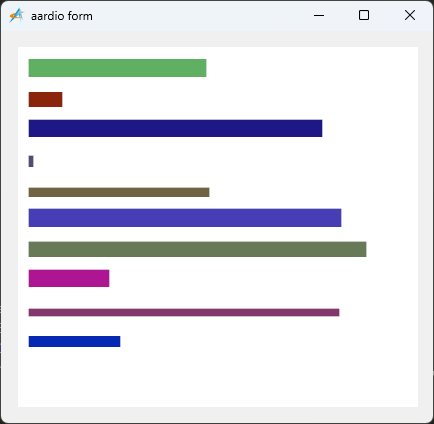
import win.ui;
import fonts.fontAwesome
import win.dlg.message
/*DSG{{*/
var winform = win.form(text="aardio form";right=431;bottom=391)
winform.add(
plus={cls="plus";left=17;top=16;right=417;bottom=376;bgcolor=0xC0DCC0;dl=1;dt=1;notify=1;z=1}
)
/*}}*/

winform.show();
import godking.customPlus

//设置项目模板
var itemModel = {{
        type="line",
        name = "进度";
		x1=10;
		y1=25;
		y2=25;
	}};

//设置项目列表
var itemList = {}
for(i=1;10;1){
	table.push(itemList,{ 进度={
		x2 = math.random(10,390); //不同进度
		width = math.random(1,28); //不同宽度
		color = gdi.ARGB(math.random(0,200),math.random(0,200),math.random(0,200),255); //不同颜色
	}})
}

//创建customPlus
import godking.customPlus
var p = godking.customPlus(winform.plus/*plus*/,itemModel,itemList,{
        itemWidth=400,    /*项目宽度*/
        itemHeight=30,    /*项目高度*/
        colnum=1,     /*项目列数,为0则根据项目宽度和plus宽度自动计算*/
})

win.loopMessage();