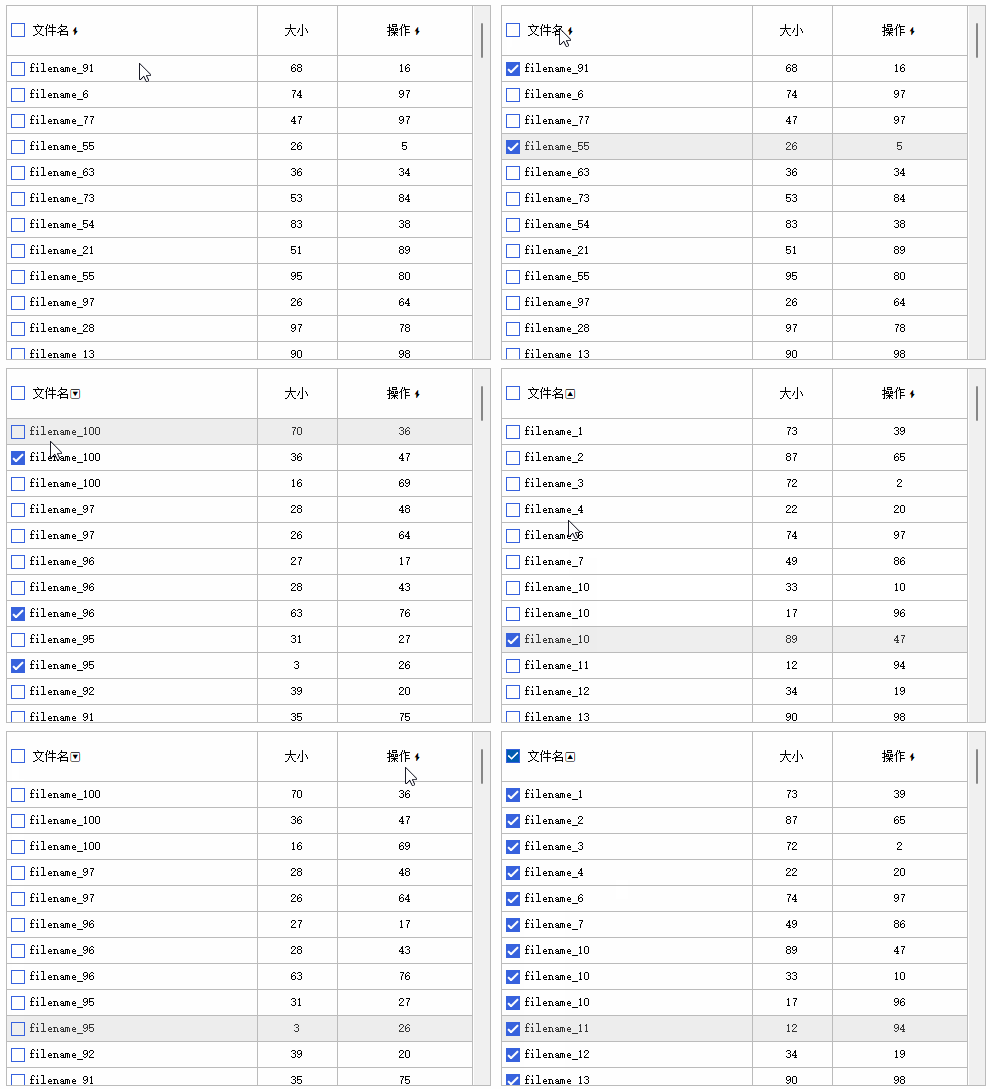
import win.ui;
import godking.vlistEx;
/*DSG{{*/
winform = win.form(text="aardio form";right=501;bottom=369;bgcolor=0xFFFFFF;border="dialog frame";max=false)
winform.add({
fileList={cls="vlistEx";text="自定义控件";left=8;top=6;right=493;bottom=361;border=1;z=1}
})
/*}}*/

//创建随机表
var list = {}
for(i=1;100;1){
	..table.push(list,{"filename_"++math.random(1,100),math.random(1,100),math.random(1,100)});
}

//给续表赋值
winform.fileList.setTable(list, {"    文件名", "大小", "操作"}, {-1, 80, 135}, {0, 1, 1});
winform.fileList.checkBox.show = true;

//设置表头第一列的附加文本和按钮区域
winform.fileList.setHeaderButtonRects(1/*列号或数组*/,::RECTF(2,15,14,14)/*按钮区域或数组*/,/*可有多个rect参数*/);
winform.fileList.setHeaderAdditionalText(1/*列号或数组*/,"<img name='DefaultUncheckedImg',x=2,y=15,w=14,h=14>"/*前缀文本*/,/*后缀文本*/);

//处理表头第一列的按钮区域的点击事件,实现全选、全不选功能
var checkedall = false; //用一个变量保存当前全选状态
winform.fileList.onHeaderClick = function(row,col,mergeCol,x,y,rect,buttonIndex){
	if col===1 and buttonIndex { //如果点击了第一列的按钮区域
		checkedall = !checkedall;
		var text = checkedall ? "<img name='DefaultCheckedImg',x=2,y=15,w=14,h=14>" : "<img name='DefaultUncheckedImg',x=2,y=15,w=14,h=14>";
		winform.fileList.setHeaderAdditionalText(1/*列号或数组*/,text/*前缀文本*/,/*后缀文本*/);
		winform.fileList.setChecked( /*行号*/,checkedall/*勾选状态*/);
		return true; //跳过默认的表头排序事件
	}
}

//处理表头排序事件
winform.fileList.onSortColumn = {1,3,function(col,desc,row,mergeCol){ //只允许1、3列排序,禁止第2列排序
	owner.sort(col/*排序列*/,desc/*是否逆序*/,/*数据转换0无1时间2数值3文本*/,true/*是否使用微软排序法*/,desc/*null值排序位置false靠前true靠后*/);
}}

winform.show();
return win.loopMessage();