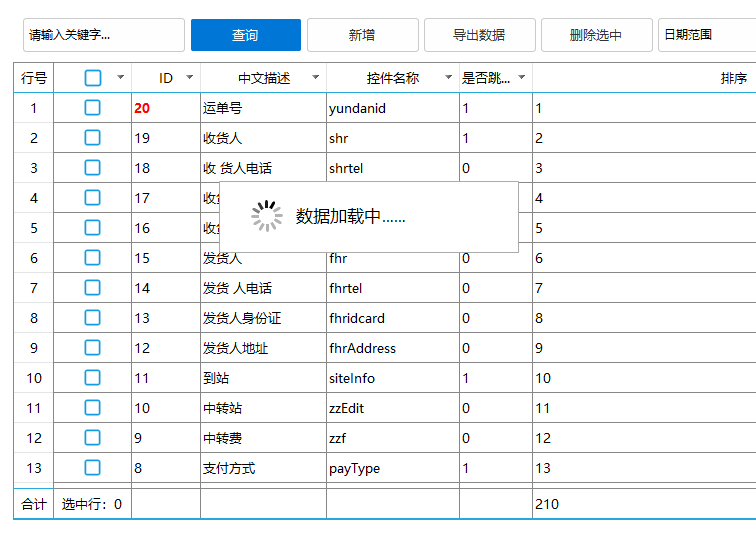
//数据加载提示
class loading{
	ctor(parent,msg="数据加载中……",minShowTime = 500){

		this.parent = parent || ..win.getActive();
		this._minShowTime = minShowTime;
		this._startTime = ..time.tick();

		this.thandle,this.id = thread.create(
			function(parent,msg){
				var dlg;
				import win;
				import thread.command;
				import godking.message;

				try {
					var msgBox = godking.message();
					msgBox.showOK = false;
					msgBox.showTitlebar = false;
					msgBox.transparent = 95;
					msgBox.modalMode = false;
					dlg = msgBox.create(msg,false);
					if dlg.borderPlus {
						dlg.borderPlus.bottom = dlg.height;
						dlg.borderPlus.right = dlg.width;
					}
					dlg.add(
						progress={cls="plus";left=90;top=180;text="";right=122;bottom=212;background=$"~\lib\yitong\loading\loading.gif";z=1};
					);
					dlg.message.left = dlg.progress.right + 10;
					dlg.resize();
					dlg.center(parent);
					dlg.show(0x4);
				}
				var _cmd = thread.command();
				_cmd.messageDlgClose = function(){
					dlg.close();
				}
				_cmd.updateProgressText = function(text){
					dlg.progress.text = text;
				}
				win.loopMessage();
			},this.parent,msg
		);
		this.updateProgressText = function(...){
			thread.command.updateProgressText(...);
		}
		this.close = function(){
			if (this._closed) return;
        	this._closed = true;
        	var elapsed = ..time.tick() - this._startTime;
        	var delay = ..math.max(1, this._minShowTime - elapsed);

			..win.setTimeout( //通过自定义时长参数,解决某些情况时间过短,加载窗口关闭过早,没有加载提示的作用
				function(){
					thread.command.messageDlgClose()
					::PostThreadMessage(this.id ,0x12/*_WM_QUIT*/, 0 ,0);
					..raw.closehandle(this.thandle);
				},delay
			)
		}
	}
}

namespace loading;
import thread;
import thread.command;

/*****intellisense()
loading() = 多线程数据加载提示框\n!msg.
loading(.(parent,message,minShowTime) = 数据加载提示框,参数1:父窗口,以父窗口居中显示加载窗口,参数二:信息文本,参数三:加载窗口最小显示时长(默认:500毫秒)
!msg.updateProgressText(.(message) = 更新进度提示文本
!msg.close(); = 关闭加载提示框
end intellisense*****/
适用远程读取数据时,因为数据量大,加载提示窗口不会跟着主窗口一起失去响应,影响gif播放,增强体验